
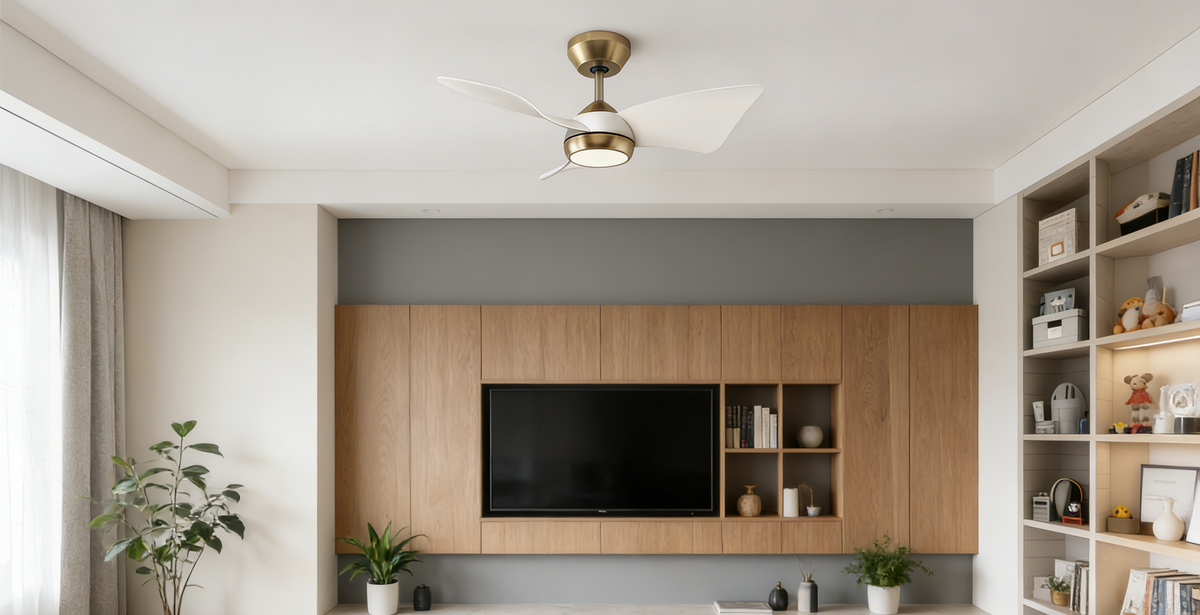
An APP control fan light is essentially a smart upgrade to the classic ceiling fan. It’s a single fixture that bundles a fan and a light, but with a twist: you can control everything from an app on your smartphone. This means no more fumbling for pull chains in the dark or losing a tiny remote in the couch cushions.
What Exactly Is an APP Control Fan Light
Think of it this way: you’re taking a standard, functional appliance and giving it a brain. Instead of just being an on-or-off fixture, an app-controlled fan light becomes a central part of your room's atmosphere. It merges three distinct functions—cooling, lighting, and smart connectivity—into one sleek package.
This isn't just about swapping one type of switch for another. It's about fundamentally changing how you interact with your home's comfort systems. You get fine-tuned control right from the device you already use all day: your phone.
A Modern Fixture for a Connected Home
So, how does it all work? It's actually pretty simple. The fan light has a built-in wireless receiver, usually using Wi-Fi or Bluetooth, that talks directly to an app on your phone. This simple connection opens up a whole world of possibilities.
- Adjust Fan Speeds: Effortlessly switch between low, medium, and high settings without getting up.
- Control Lighting: Dim the light for a movie night, brighten it for reading, or shift the color temperature from a cozy warm white to a crisp, cool daylight.
- Set Schedules and Timers: Program the fan to turn on a few minutes before you get home from work or schedule the light to turn off automatically after you've left the room.
This kind of integrated control is quickly becoming the new normal. According to a 2023 report by Grand View Research, the global ceiling fan market was valued at approximately USD 13.2 billion in 2022, and it is expected to continue growing in the coming years. Industry analysis shows that a significant number of new ceiling fan models come with built-in LED lights, and a growing portion of those now include app control as a key feature.
By connecting to your home's wireless network, an app-controlled fan light stops being just another appliance. It becomes an interactive, responsive part of your daily life, adding a layer of convenience that you quickly get used to.
Ultimately, these fixtures are a fantastic and practical first step into the world of smart home technology. They deliver real, tangible benefits without the headache of a complicated installation.
Before we dive deeper, let's look at a quick comparison to see just how much has changed. This table breaks down the key differences between the old-school fan lights we all grew up with and today's app-controlled models.
Traditional Fan Light vs APP Control Fan Light
| Feature | Traditional Fan Light | APP Control Fan Light |
|---|---|---|
| Control Method | Pull chains, wall switch, or a simple IR/RF remote. | Smartphone app (Wi-Fi/Bluetooth), voice commands, remote, wall switch. |
| Fan Speed | Typically 3 fixed speeds (Low, Medium, High). | Multiple, often variable, speed settings for precise airflow. |
| Lighting | Basic on/off and sometimes dimming with a special switch. | Full dimming control, adjustable color temperature (warm to cool). |
| Automation | None. Manual operation only. | Scheduling, timers, and integration with smart home routines (e.g., "Good Morning"). |
| Accessibility | Limited to physical reach of chains or line-of-sight for remotes. | Control from anywhere in the house via the app. |
| Smart Integration | Not possible. Operates as a standalone fixture. | Connects with systems like Amazon Alexa, Google Assistant, and Apple HomeKit. |
As you can see, the jump to an app-controlled model isn't just a minor upgrade—it represents a complete overhaul in convenience, customization, and control. It’s the difference between a simple tool and a smart home companion.
How Smart Fan Lights Actually Work
So, how does an app-controlled fan light really do what it does? It’s easiest to think of it as a three-part system working in perfect sync: the hardware inside the fan, the app on your phone, and your home’s Wi-Fi network. Together, they make the whole process—from a tap on your screen to the fan changing speed—feel instant and effortless.
The secret is a small receiver tucked away inside the fan's housing. It’s essentially the fan’s ear, acting much like the Wi-Fi or Bluetooth chip in your laptop or speakers. When you make a change in the app, your phone sends a command through your Wi-Fi. The receiver instantly catches that signal and translates it into a direct order for the fan's motor or the light.
This diagram shows just how far we've come, from yanking on a pull chain to having complete control right in our hands.
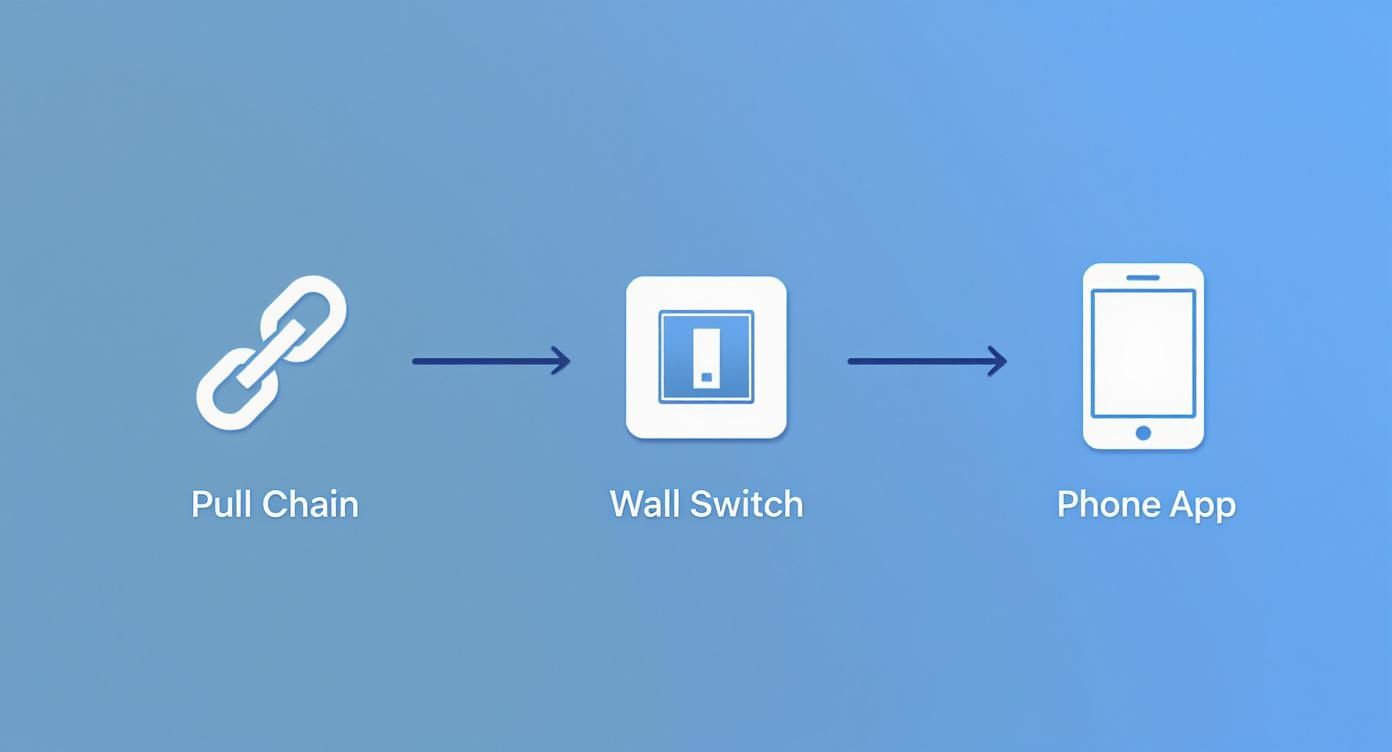
It’s a simple evolution, but one that has completely changed how we interact with a basic home fixture, adding layers of convenience we now take for granted.
The Brains of the Operation: The Smartphone App
The smartphone app is your command center. It's so much more than just a digital version of a remote control; it’s the interface that unlocks all the powerful features packed into the fixture—things a wall switch or pull chain could never do.
- Precise Adjustments: Forget the standard three speeds. Many apps give you six, ten, or even a sliding scale to dial in the perfect amount of airflow.
- Light Customization: This is where apps really shine. You can dim the light from 1% to 100% and often shift the color temperature, moving from a warm, cozy glow to a crisp, cool white light.
- Scheduling and Automation: You can program the fan to turn off an hour after you go to bed or set a schedule to circulate air while you're out. It’s set-it-and-forget-it convenience.
All this granular control works because the app sends highly specific instructions to the fan’s receiver, telling it precisely how much power to deliver to the motor or the LEDs.
Connecting to Your Smart Home Ecosystem
Where these app-controlled fans truly come alive is when you loop them into your greater smart home setup. This connection usually happens through the cloud. When you say, "Alexa, set the fan to low," your smart speaker doesn't talk directly to the fan. Instead, it sends your voice command up to the cloud.
On a remote server, your request is instantly interpreted. The server figures out you’re talking about your fan and zips the right command back down through your Wi-Fi network to the fan's receiver. The whole round trip takes just a second or two.
This cloud-based handshake is what allows the fan to become part of your home's routines. Imagine a "Goodnight" command that not only locks the doors and kills the lights but also sets your bedroom fan to a low, quiet hum. It transforms a simple appliance into a truly integrated piece of your smart home.
What App-Controlled Fan Lights Can Actually Do for You
Swapping out your old ceiling fan for a smart, app-controlled model isn't just a fancy tech upgrade. It’s a genuine quality-of-life improvement. When you get past the specs on the box, you start to see how these fixtures solve everyday annoyances and make your home a more comfortable, efficient place to be.
Think about it. Instead of walking into a stuffy room after work, you can have the fan start up 15 minutes before you arrive, greeting you with a cool, welcoming breeze. You can even create custom presets. With a single tap on your phone, a "Movie Night" scene could dim the lights to the perfect level and switch the fan to a slow, silent spin.
Suddenly, you’re not stuck with the all-or-nothing options of a pull chain or a wall switch. You have complete control.
Real Savings and Better Comfort
Beyond the cool factor, the most practical benefit is energy efficiency. Old-school fans are often either off or running at full blast. With an app, you can fine-tune the speed, set schedules, and make sure it’s only running when and how you need it. This simple act of running it at a lower speed or only during peak heat can make a noticeable dent in your electricity bill.
It's no surprise that homeowners are catching on. According to 2023 statistics from Statista, the global market for smart ceiling fans, which includes these app-controlled models, reached an estimated value of USD 505 million in 2022. This isn't just a niche gadget anymore; it’s a mainstream trend driven by people wanting smarter, more efficient homes. This isn't just a niche gadget anymore; it’s a mainstream trend driven by people wanting smarter, more efficient homes.
Setting the Perfect Mood
This is where app-controlled fan lights really shine—pun intended. The ability to control your lighting with such precision can completely change the feel of a room.
- Adjustable Color Temperature: Need to focus? A crisp, cool white light can help you stay alert. Winding down for the night? A soft, warm glow creates a much more relaxing atmosphere. You can shift between them in seconds.
- Precise Dimming: Forget clunky dimmer switches. Most apps let you dial the brightness down to a faint 10%, perfect for a subtle nightlight, or crank it up to 100% when you need to see clearly.
- Natural Wind Modes: Some of the best models have a "natural breeze" feature that gently varies the fan speed. It feels much more organic than a constant, monotonous airflow and adds a subtle touch of comfort.
When you combine this level of control over both airflow and light, an app-controlled fan light becomes more than just a utility. It becomes a tool for crafting the perfect environment for whatever you're doing, making your space truly work for you.
How to Choose the Right Smart Fan Light
Picking the perfect app-controlled fan light can feel like a chore, but it doesn't have to be. If you know what to look for, you can narrow down the options pretty quickly. It's really about finding that sweet spot where style, performance, and smart technology all meet your needs.
Before you get lost in the tech specs, take a good look at the room itself. The size of your space is the single most important factor, dictating everything from blade span to motor strength. A fan that's too small for the room is just a decoration; one that's too big will feel like you're in a wind tunnel.
Core Technical Specifications
Let's start with the heart of the fan: the motor. You’ll generally see two types on the market: AC (Alternating Current) and DC (Direct Current). AC motors are the old standard—they're dependable and usually easier on the wallet.
But the real innovation is in DC motors. They are the clear winner for modern smart fans, often using up to 70% less energy than their AC counterparts. They’re also virtually silent and give you way more speed settings, so you can dial in the airflow just right. They might cost a bit more upfront, but the energy savings and quiet, powerful performance make them a solid long-term investment.
Next up, let's talk about size and fit.
- Blade Span: This is simply the full diameter of the fan, from the tip of one blade to the tip of the one opposite it. You need to match this to your room size. A small bedroom (up to 75 sq. ft.) does well with a fan under 36 inches, but a large great room (over 350 sq. ft.) will need a span of 60 inches or more to move air effectively.
- Mounting Options: How will the fan attach to your ceiling? Most fans use a standard downrod mount, which is perfect for typical flat ceilings. If you have high or vaulted ceilings, you’ll need a longer downrod to lower the fan to the right height. For rooms with low ceilings, you'll want a flush mount (or "hugger") fan that sits right up against the ceiling.
Evaluating Smart Features and Connectivity
The "smart" part of the fan is all about how it connects and what you can do with it. First, make sure it works with your home's Wi-Fi—most smart devices still rely on the 2.4 GHz band, so double-check that. Even more critical is making sure it plays nicely with your existing smart home setup. If you're an Amazon Alexa or Google Assistant household, look for a fan that explicitly says it works with them. Voice control is one of the best perks, after all.
The companion app itself is a huge part of the experience. A clunky, poorly designed app will make you want to go back to a pull chain. Look for an app that feels intuitive and stable, giving you easy access to features like scheduling, timers, or custom "scenes" that let you save your favorite fan and light combinations.
A detail that's easy to miss but incredibly important is safety certification. Always look for an ETL or UL listing on the product. This mark means it has been independently tested and meets North American safety standards—it's a non-negotiable sign of a well-made, reliable fixture.
Finally, don't forget about the light. Check the lumens (how bright it is) and the color temperature, measured in Kelvins (K). The best smart fan lights offer adjustable color temperatures, letting you shift from a cozy warm white (3000K) for relaxing in the evening to a crisp, cool daylight (6000K) when you need to focus. That flexibility makes a huge difference in setting the right mood.
When you're comparing different models, it's helpful to have a checklist to make sure you're not missing anything important. This table breaks down the key considerations.
Smart Fan Light Feature Checklist
| Consideration | What to Look For | Why It Matters |
|---|---|---|
| Motor Type | DC (Direct Current) is highly recommended. | DC motors are quieter, more energy-efficient (up to 70% savings), and offer more speed options than traditional AC motors. |
| Blade Span | Match to room size (e.g., <36" for small rooms, 60"+ for large rooms). | A properly sized fan ensures optimal airflow without being overpowering or ineffective. |
| Mounting Style | Downrod, Flush Mount, or Angled Mount options. | You need a mount that fits your ceiling height and type (flat or sloped) to ensure safe and effective operation. |
| Smart Home Integration | Compatibility with Amazon Alexa, Google Assistant, Apple HomeKit, etc. | Seamless integration allows for voice commands and inclusion in automated home routines, which is a major convenience. |
| App Quality | Check app store reviews; look for features like scheduling and custom scenes. | A stable, user-friendly app is crucial for a good user experience. A bad app can ruin an otherwise great fan. |
| Light Output (Lumens) | At least 800 lumens for general lighting; more for larger rooms. | Ensures the light is bright enough to be a primary light source for the room, not just an accent. |
| Color Temperature | Adjustable/Tunable White (e.g., 2700K - 6500K). | Lets you change the light from warm to cool, adapting the room's ambiance for different activities and times of day. |
| Safety Certification | Look for a UL or ETL Listed mark. | This confirms the product has been tested by a third party and meets critical safety standards for North America. |
| Warranty | A lifetime motor warranty and at least a 1-year warranty on other parts. | A strong warranty indicates the manufacturer's confidence in their product and protects your investment. |
Using a checklist like this helps you cut through the marketing noise and focus on the features that will actually make a difference in your day-to-day life. It ensures you end up with a fan that’s not just smart, but a smart choice for your home.
Navigating Installation and App Setup
Getting your new app control fan light up and running is a two-part mission: the hands-on hardware installation and the quick digital setup. It's a bit like putting together a new piece of high-tech furniture. One part requires tools and a little know-how with wiring, while the other is all about getting your fan to shake hands with your smartphone.
For many homeowners comfortable with basic electrical work, this is a manageable DIY project. But the golden rule is always safety first.
Before you even think about touching a wire, head straight to your circuit breaker and kill the power to that room. This isn't just a suggestion—it's non-negotiable. If you’re even slightly unsure about your wiring or the strength of the electrical box in your ceiling, calling in a licensed electrician is always the smart move.
The Physical Installation
The physical part of the setup is pretty logical, but it demands careful attention. Most of these smart fans weigh between 15 and 25 pounds, which means the junction box they hang from needs to be up to the task. A standard box made for a simple light fixture often won't cut it.
- Safety First: Double-check that the power is off with a voltage tester before you touch anything.
- Secure Mounting: Make sure the fan’s ceiling bracket is screwed into a fan-rated junction box that's firmly anchored to a ceiling joist.
- Follow Instructions: Every fan is a little different. Stick to the manufacturer's wiring diagram like glue to ensure the fan motor, light, and smart receiver are all connected correctly.
A solid, secure physical installation is the bedrock of a safe smart fan. Cutting corners here or using an underrated junction box can create serious safety risks later on.
Connecting to the App
With the fan securely in place, it’s time to bring its smart features to life by connecting it to your home network. This part is usually quick and feels a lot like setting up any other smart device.
First, go ahead and restore power at the breaker and flip the wall switch on. Your fan should automatically enter a pairing mode, which it might signal with a beep or a blinking light.
- Download the App: Head to your phone's app store, find the manufacturer's official app, and install it.
- Create an Account: You'll probably need to register with an email and set a password.
- Initiate Pairing: Open the app and look for an option to "add a new device." It will start scanning for the fan, often using Bluetooth, or it might ask you to connect to a temporary Wi-Fi signal the fan is broadcasting.
- Enter Wi-Fi Credentials: When prompted, type in your home Wi-Fi network name (SSID) and password. Keep in mind that most smart home gadgets, including these fans, run on the 2.4 GHz Wi-Fi band, so make sure you’re connecting to that network, not a 5 GHz one.
- Finalize and Test: Once it’s connected, the app will finish the setup. Now for the fun part: give your fan a name like "Living Room Fan" and play with the controls to make sure everything works.
If you hit a snag, a common trick is to reset the fan by flipping the wall switch on and off a few times—this usually kicks it back into pairing mode so you can try again.
A Quick Word on Privacy and Security
Let's be honest, bringing any "smart" device into your home means you should think a little about digital security. With an app-controlled fan light, the risks are pretty low, but a few simple habits can ensure your fan is a secure, convenient part of your home—not a weak link in your network.
Your first and best line of defense is your app password. It’s tempting to reuse passwords, but don't. Create a strong, unique password just for the fan's control app. That way, if another service you use gets hacked, your home devices won't be vulnerable.
Basic Security Habits Worth Building
If the app offers it, always turn on two-factor authentication (2FA). It's that extra step where the app sends a code to your phone before letting you log in. It might seem like a small hassle, but it's a massive roadblock for anyone trying to get in who isn't you.
Just as important is keeping things up to date. The manufacturer will occasionally release updates for the app and the fan's internal software (called firmware). These updates often include patches for security vulnerabilities they've discovered.
- Turn on Automatic Updates: Dive into the app's settings and see if you can enable automatic updates. It's the "set it and forget it" approach to security.
- Do a Manual Check: Every once in a while, just open the app and look for any update alerts. A quick tap can make all the difference.
Keeping your software and firmware current is one of the most effective ways to protect your smart devices. Think of it like locking your front door—it's a simple, quick habit that offers real peace of mind.
Got Questions? We’ve Got Answers.
Stepping into the world of smart home tech always brings up a few questions. If you're thinking about an APP control fan light, you're not alone. Let's tackle some of the most common things people ask so you can feel totally confident about your upgrade.
Can I Still Flip a Switch on the Wall?
Absolutely. Most smart fan lights are designed to play nice with your existing wall switch. Think of the wall switch as the main power source. For any of the "smart" features to work—like using the app or your voice—the switch needs to be left in the on position.
Once it has power, you can use the app, a voice assistant, or the remote to handle the details like fan speed and light settings. Some brands even offer their own smart wall switches that give you more granular control right from the wall, which is a nice middle ground.
What Happens If the Wi-Fi Cuts Out?
No internet? No problem. You won't be left in the dark or without a breeze. While a Wi-Fi outage means you can't use the app or voice commands for a bit, nearly every smart fan comes with a good old-fashioned physical remote.
This remote usually works on Radio Frequency (RF) or Bluetooth, so it talks directly to the fan without needing your home network. You can still adjust everything manually, making it a reliable fallback for when your internet decides to take a break.
The Bottom Line: Your remote control is your safety net. It ensures you always have direct control over your fan and light, so a spotty Wi-Fi connection never leaves you stuck.
Do They All Work with Alexa and Google?
This is a big one. While a ton of smart fans integrate with Amazon Alexa and Google Assistant, it's definitely not a given. You have to check the box, literally.
Before you buy, look for the official logos from Alexa or Google on the packaging or in the product specs online. This is your guarantee that the fan has been tested and certified to work smoothly with your smart speaker, so you won't have any headaches trying to set up voice commands.
Ready to feel the difference that smart comfort can make? Check out the collections at GreenEver, where we blend smart technology with designs you'll love for years. Head over to our official GreenEver website to find the perfect centerpiece for your smart home.


Leave a comment
This site is protected by hCaptcha and the hCaptcha Privacy Policy and Terms of Service apply.